So you want to run Hugging Face models on Foundry Local
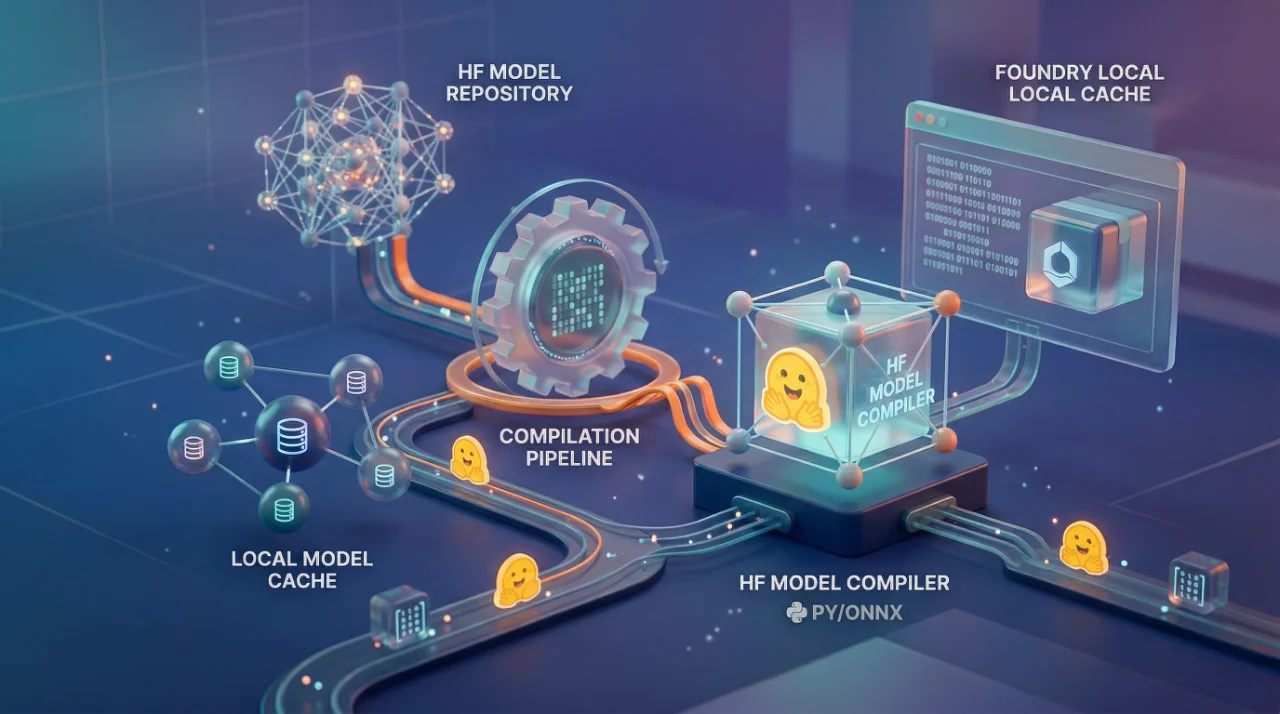
Most people hear "run models locally" and think it is just download and go. I wish. With Foundry Local, Microsoft wants you running ONNX models on your device, which means whatever you pulled from Hugging Face in Safetensors or PyTorch format, it needs to be converted first. The tool for this is Olive, Microsoft's own optimization toolkit, and honestly the process is not terrible once you get the pieces right. But those pieces? Nobody explains them well the first time.
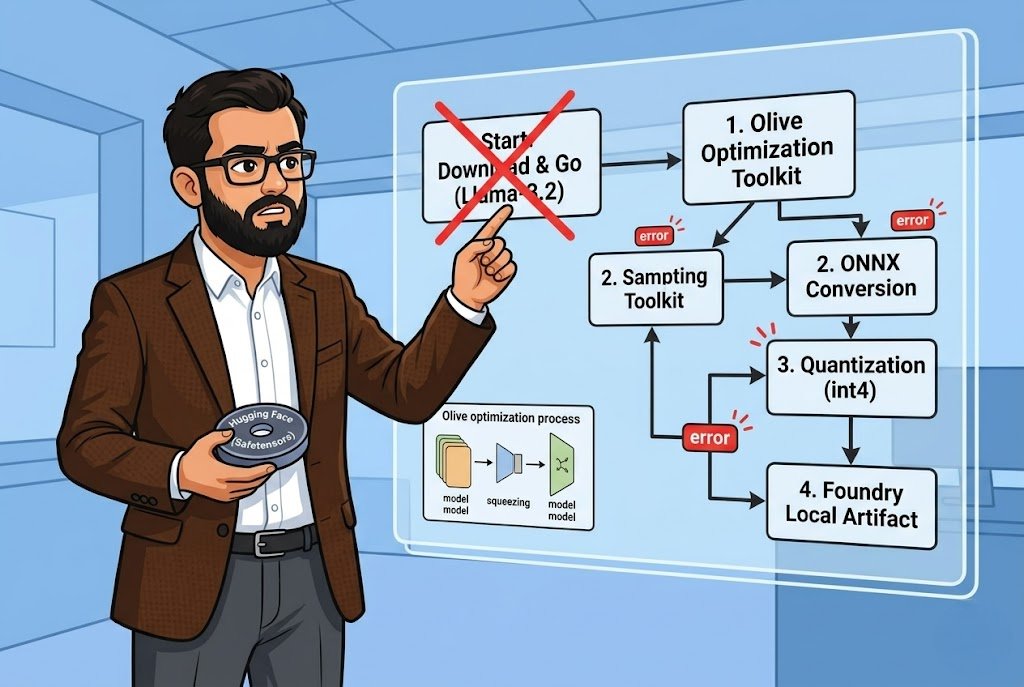
I spent a weekend getting Llama-3.2-1B-Instruct compiled and running through Foundry Local. The documentation walks you through it step by step but leaves out the parts where things actually go wrong. Let me fill those gaps.
The setup is straightforward Python 3.10+, Foundry Local installed, and a Hugging Face account with a token that has access to whatever model you are targeting. You install Olive with pip install olive-ai[auto-opt] and I will say this right now do it in a virtual environment. I didn't the first time and dependency conflicts with an existing PyTorch install cost me two hours. Two hours I am not getting back.
The actual compilation is one command:
Bash

olive auto-opt \
      --model_name_or_path meta-llama/Llama-3.2-1B-Instruct \ \
      --trust_remote_code \
      --output_path models/llama \
      --device cpu \
      --provider CPUExecutionProvider \
      --use_ort_genai \
      --precision int4 \
      --log_level 1
That --precision int4 is where the magic happens. You are quantizing the model down so it actually runs on normal hardware without melting your machine. You can also do fp16, fp32, or int8 depending on your situation. For CPU inference on a laptop? Just go int4. The quality trade-off is minimal for a 1B parameter model and the speed difference is night and day.
The --device flag takes cpu, gpu, or npu. Yes, NPU Microsoft is clearly betting on those neural processing units shipping in newer Surface devices and Copilot+ PCs. I haven't tested NPU personally but the option is there. For GPU you would swap the provider to CUDAExecutionProvider which means you need the whole CUDA toolkit installed and that is its own adventure.
The part that tripped me up
After Olive finishes takes about 60 seconds plus download time it dumps everything into a generic model folder. You rename that, fine. But here is the thing nobody emphasizes enough: Foundry Local requires a inference_model.json file in the model directory. Without it, the model will not load. It just silently fails and you sit there wondering what went wrong.
The documentation gives you a Python script using AutoTokenizer from Hugging Face transformers to generate this file. It applies the chat template with a {Content} placeholder that Foundry Local injects the user prompt into at runtime. The script is maybe 20 lines. But if you are in a different Python environment than where you installed Olive, you need transformers installed separately. Small thing, but it catches people.
The JSON structure looks like this a Name field, and a PromptTemplate object with assistant and prompt keys. Simple. But if you get the template wrong, your model outputs will be garbage. I mean technically it runs, but the responses make no sense because the prompt formatting is off. I have seen this happen with custom fine-tuned models where the chat template from the base model does not match.
Running it and the cache trick
Once compiled, you point Foundry Local's cache to your models directory with foundry cache cd models and then foundry model run llama-3.2 --verbose. That --verbose flag use it. First time running a new model you want to see what is happening.
The cool part is Foundry Local exposes an OpenAI-compatible REST API. So you install openai and foundry-local-sdk, create a FoundryLocalManager instance, and you are basically writing the same code you would write against OpenAI's API. Same chat.completions.create, same streaming, same message format. If you have existing OpenAI code, the migration is maybe 5 lines changed.
One thing to remember, reset your cache directory when you are done. foundry cache cd ./foundry/cache/models. If you forget this, next time you try to use Foundry Local's built-in models it will look in the wrong place and you will spend 20 minutes confused. I know because I did exactly that.
Now, the Olive CLI and its settings change over time. Microsoft says this explicitly in the docs. So the exact command I showed might not work six months from now. The safer bet is checking the Hugging Face model optimization recipes which has tested configurations for specific models. They have a dedicated recipe for Llama-3.2-1B-Instruct that includes both the Olive config and the Foundry Local artifact layout.
I will be honest, this whole workflow is not as smooth as something like llama.cpp where you just download a GGUF and run it. Microsoft is adding steps because they want everything going through ONNX Runtime, which makes sense for their optimization story across different hardware backends. But it is more friction. Whether that friction is worth it depends on if you need the ONNX ecosystem, DirectML support, NPU acceleration, integration with other Microsoft tooling. For a quick local experiment? Probably overkill. For building something production-grade that needs to run across different Windows hardware configurations? Then yeah, this is the path.